EXPENSE TRACKER: SMS & VOICE

Less typing.
More living.
Money, in view.

Say your purchases. Turn bank alerts into entries. Build a budget that starts on your payday.

One clear ledger for the little things and the big picture.

Free to start · iPhone & iPad · iOS 17+

Take a look inside
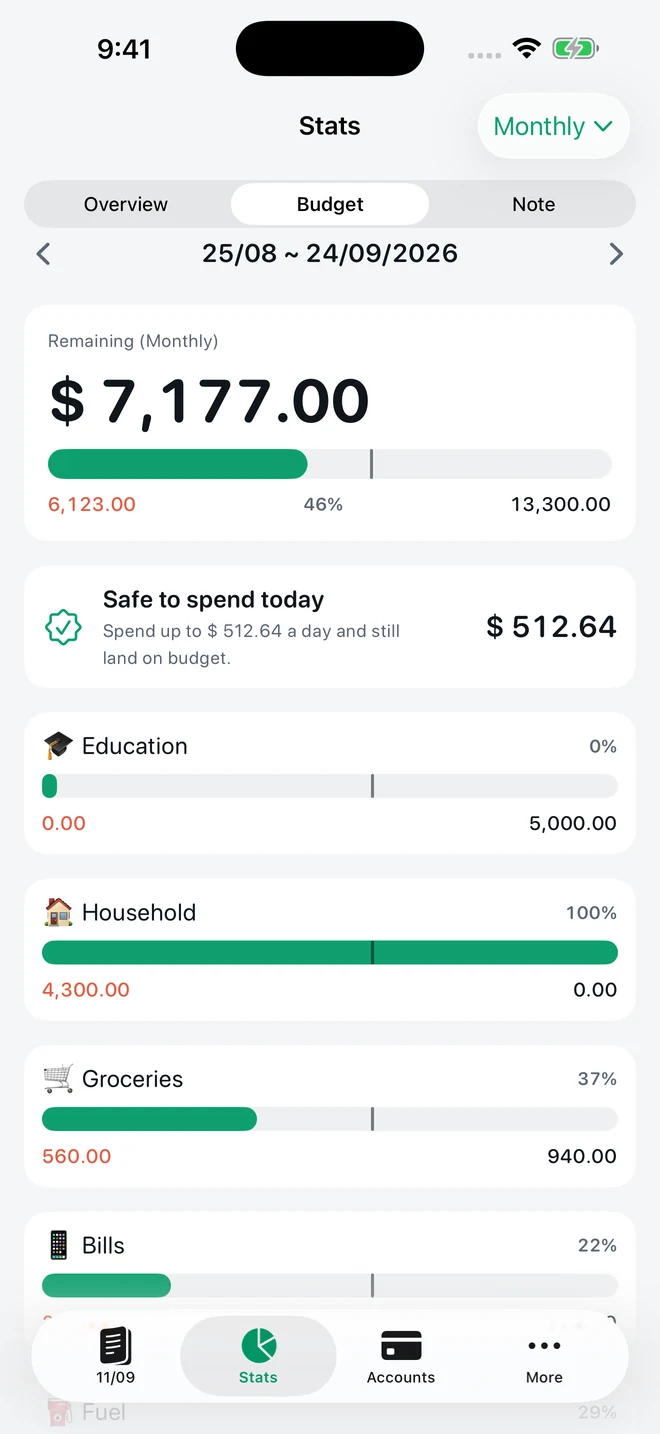
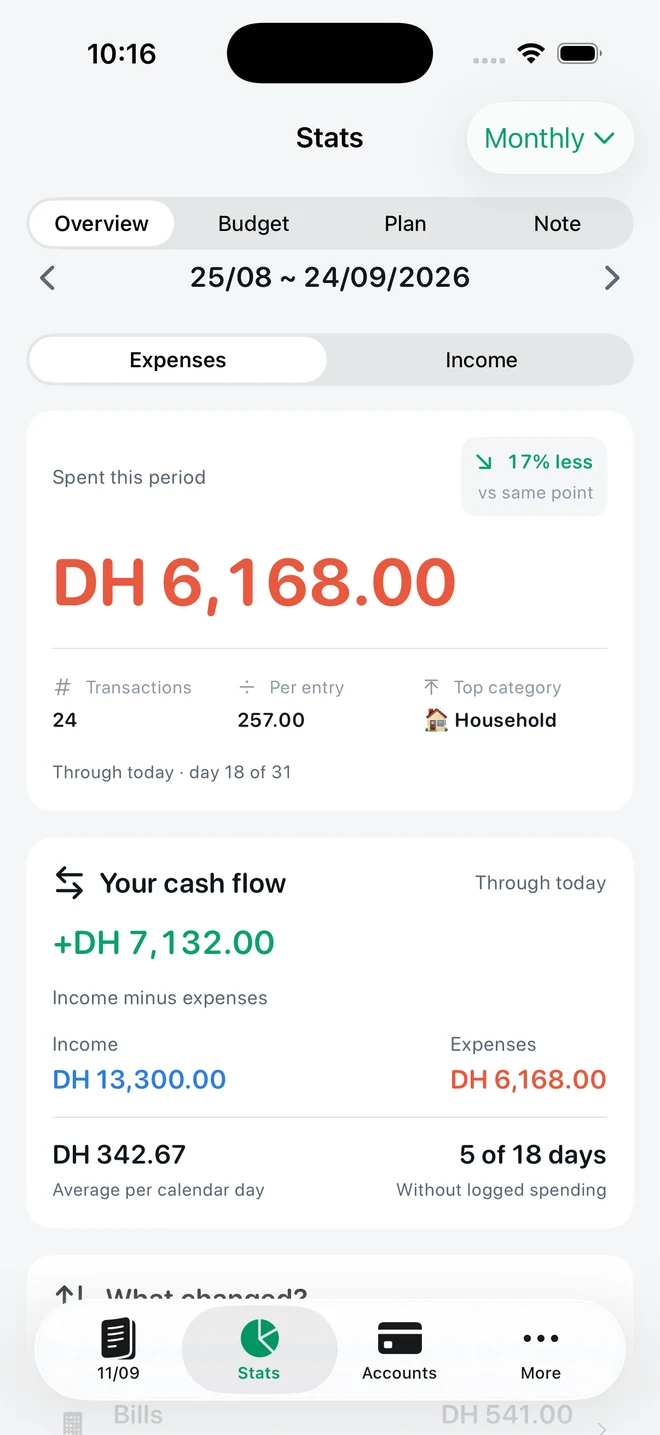
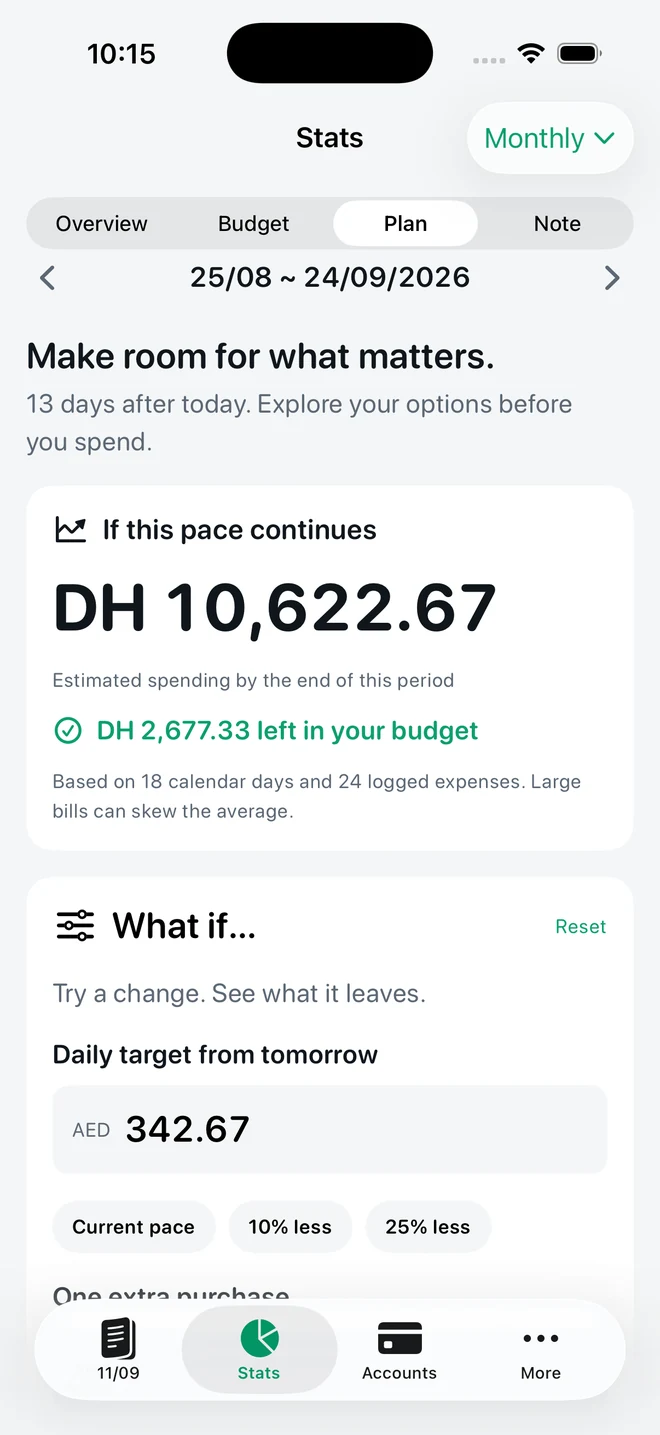
TrackExpenses category budgets, remaining budget and Pro daily spending guidance
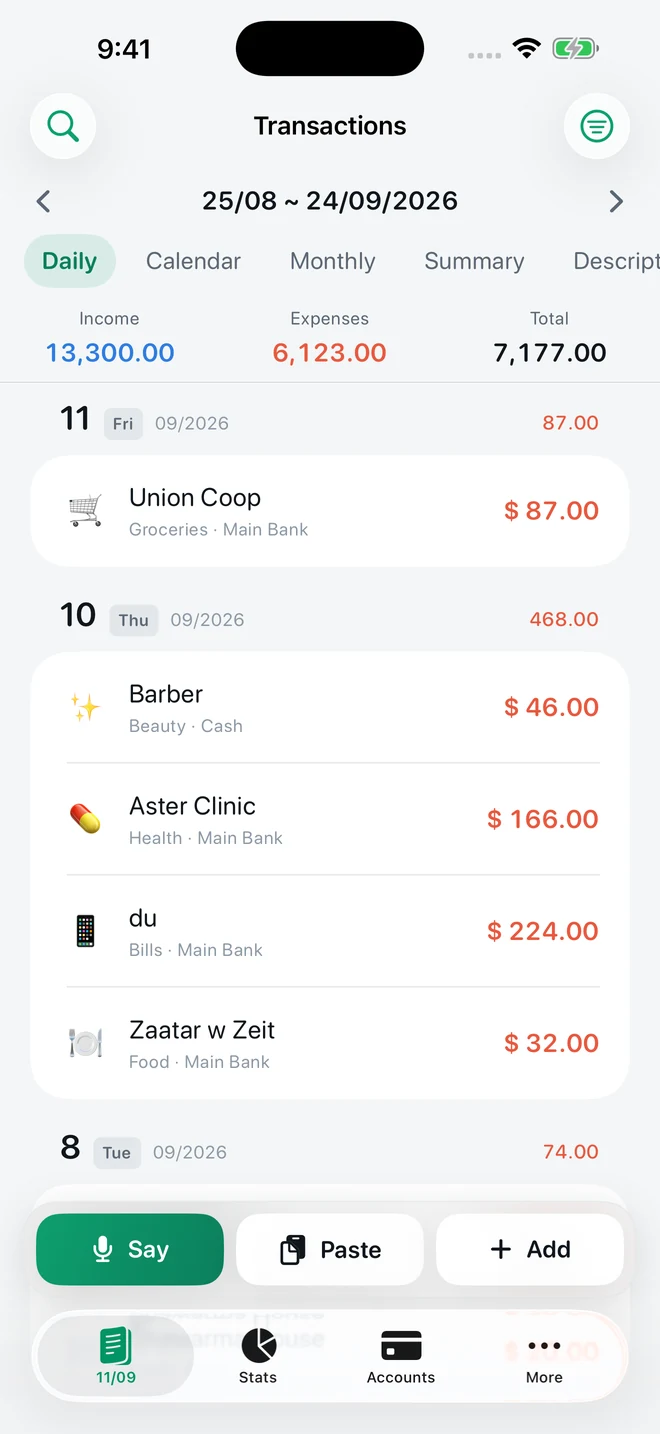
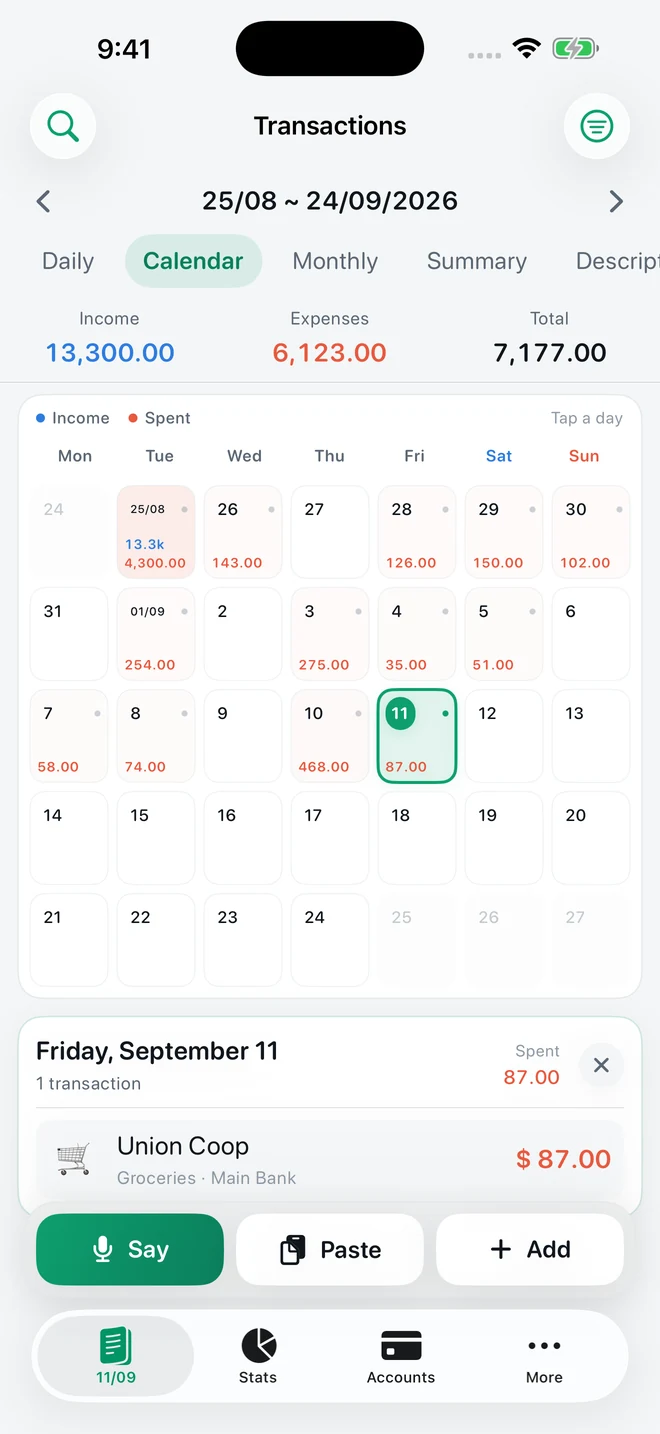
Daily transaction list with a payday period and Say, Paste and Add buttons
Real app screens · example records · Pro guidance shown
No bank loginNo app accountOptional private iCloud syncEnglish interface

LESS ADMIN. MORE CLARITY.

Three ways to make
tracking feel effortless.

Keep the habit. Skip some of the typing.

01 / SAY IT PRO

A few words.
A few purchases.
All caught up.

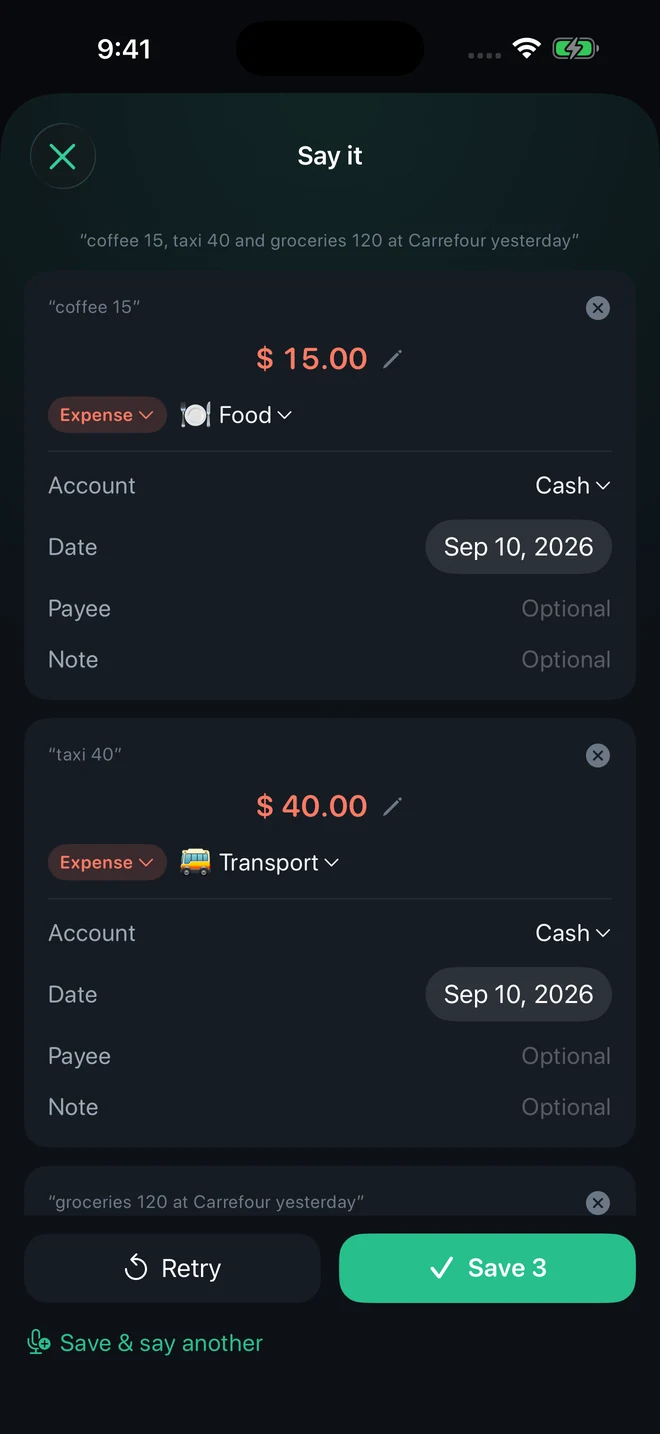
“Coffee 15, taxi 40, and groceries 120 at Carrefour yesterday.”

Say one purchase or several. TrackExpenses turns your words into drafts on your device. Check the amounts, categories and dates, then save.

  • Multiple purchases in one phrase
  • Review and edit before saving
  • On-device speech processing
See how Say it works

Pro required. Compatible devices and supported languages only.

Say it screen reviewing three spoken purchases before saving
Your words, ready to review. Example purchases.
02 / BANK SMS FREE ALLOWANCE

The alert arrives.
Your ledger
catches up.

Your bank already sends the details. A Shortcuts Message automation can bring supported transaction alerts into TrackExpenses, so you spend less time entering them again.

  • Amount, merchant, account and category
  • Review entries and correct the details
  • No bank connection or inbox access
Set up bank SMS imports

Setup required. Free includes 20 successful automatic imports per calendar month per device; Pro removes the limit. Supported alerts only.

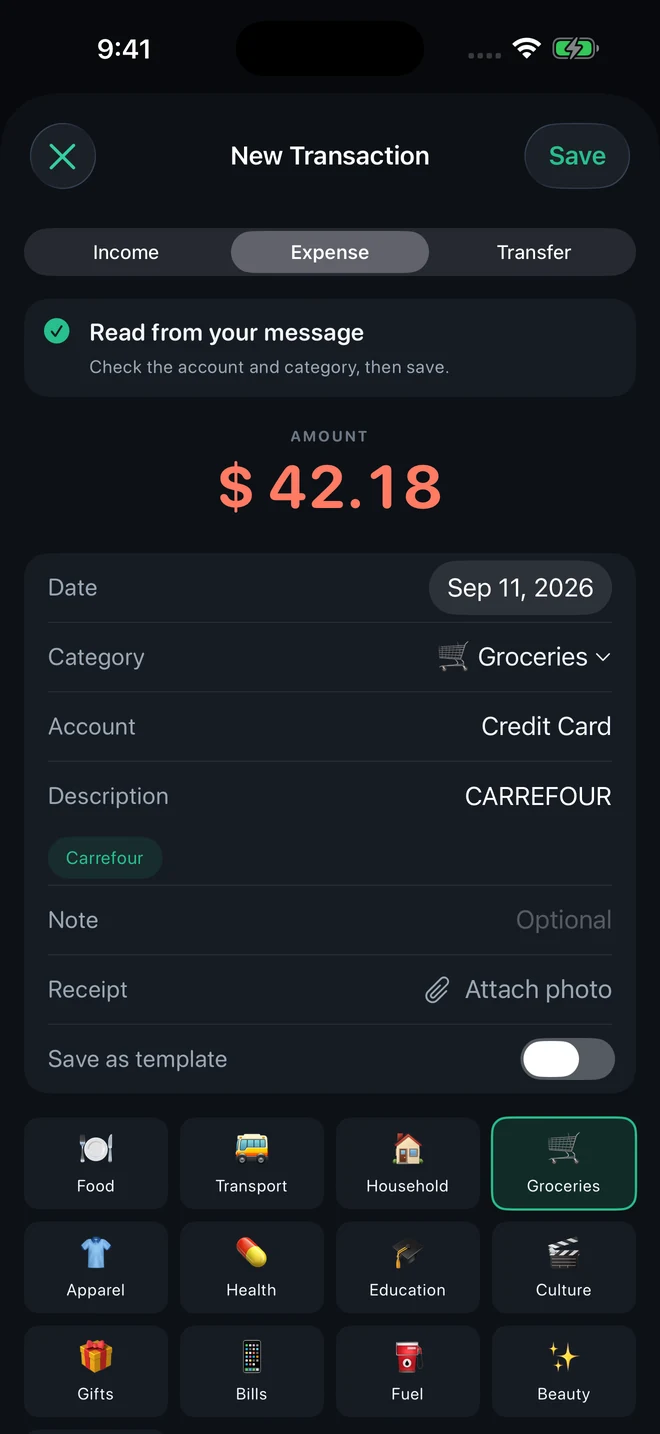
A bank-message expense draft showing the amount, merchant, account and category
A transaction draft read from a message. Example records.
03 / YOUR PAYDAY FREE

Your salary day.
Your month.
Your rules.

Paid on the 25th? Let your budget month run from the 25th to the 24th. Transactions, category budgets and charts follow the same fixed monthly period.

  • Choose your monthly start day
  • Follow spending day by day in the calendar
  • See category budgets and period progress
Build a budget around payday

Budget pacing is free. Daily spending guidance and forecasts require Pro.

Spending calendar for a monthly payday period from August 25 to September 24
A month that begins on payday. Example records.

THE WHOLE PICTURE

Beyond the next purchase.

Your spending, accounts and plans, together in one app.

THE LITTLE DETAILS, TOO

A ledger you can make your own.

Income & transfers

Record money coming in, purchases going out and transfers between your accounts.

FREE

Recurring entries

Keep regular transactions on a schedule. Three recurring rules for free, unlimited with Pro.

Private iCloud sync

Optionally keep your ledger in sync across your own Apple devices through private iCloud storage.

FREE

Your data, portable

Export a month to CSV for free. Pro adds CSV import, date-range exports and JSON backup and restore.

Explore export options →

Themes & app icons

Give your ledger a different look with Pro themes and alternate app icons.

PRO

Apple Pay shortcuts

Use a supported Wallet transaction automation for purchases on selected cards. Setup and compatible iOS required.

See the setup guide →

START SIMPLE. GROW FROM THERE.

A useful free ledger.
More possibilities with Pro.

FREE

Build your daily habit.

The essentials for keeping your money in view.

  • Unlimited manual transactions
  • Budgets, payday periods and calendar
  • Historical stats and search
  • Monthly CSV export and private iCloud sync
  • 3 accounts and 3 recurring rules
  • 20 successful automatic SMS imports per calendar month per device

PRO

Spend less time on admin.

Everything in Free, with more ways to enter and plan.

  • Say it: on-device voice drafts
  • Unlimited SMS imports, accounts and recurring rules
  • Forecasts and daily spending guidance
  • What-if spending plans
  • CSV import, range exports and full JSON backup
  • Themes and alternate app icons

Download the app, then explore Pro. Monthly, annual and lifetime options in the app. Voice device and language support apply.

Explore Pro and purchase options →

FROM ENTRY TO CLARITY

A small habit.
A clearer month.

  1. Capture the purchase.Add it manually, import a supported bank alert, or say it with Pro.
  2. Make it yours.Check the draft and choose the right account and category.
  3. Follow your month.See your transactions, budgets and spending patterns in your payday period.
Try the daily-budget calculator →
How your ledger comes together · illustrative figures

A FEW GOOD QUESTIONS

Before you get started.

Does TrackExpenses connect to my bank?

No bank connection or bank login is required. You can enter transactions manually or set up Shortcuts automations for supported bank alerts and Wallet purchases.

Can the app read my Messages inbox?

No. A Shortcuts Message automation passes the supported alerts you choose to TrackExpenses. The app does not read your Messages inbox.

Is Say it available for free?

Say it requires Pro. Speech is processed on your device to create drafts you review before saving. Compatible devices and supported languages are required.

Can my budget month start on payday?

Yes. Choose a fixed monthly start day and your transactions, budgets and charts follow that period. This is a monthly payday period, not a rolling biweekly cycle.

Where is my ledger stored?

Your ledger is stored on your device, with optional private iCloud sync across your own Apple devices. No app account is required. The Privacy Policy explains storage, voice processing and purchase-related data.

Read the Privacy Policy →

A HELPFUL HEAD START

Make your first week easier.

Your money, easier to follow.

Expense Tracker: SMS & Voice for iPhone and iPad.

No ratings yet in the US App Store · Checked 2026-10-05

App facts and free / Pro limits

Expense Tracker: SMS & Voice (TrackExpenses) is made by Mohamed Elatabany for iPhone and iPad with iOS/iPadOS 17 or later. The interface is English. No app account or bank login is required. Optional Shortcuts automations import supported bank SMS and Wallet purchases; the app does not read your Messages inbox. Voice entry creates on-device drafts on compatible devices and languages and requires Pro. The free ledger includes unlimited manual transactions, budgets, historical stats, search, monthly CSV export, private iCloud sync, 3 accounts, 3 recurring rules and 20 successful automatic bank SMS imports per calendar month per device. Pro adds unlimited SMS imports, accounts and recurring rules, forecasts, daily budget guidance, what-if planning, voice entry, CSV import, date-range CSV exports, full JSON backup and restore, themes and alternate icons. Monthly and annual subscriptions and a one-time lifetime purchase are available. Spending calculations depend on your records and are not financial advice.