FEATURE · REPORTS · FREE
See where the money went, five different ways.
TrackExpenses shows the same period as a daily list, a calendar, a month-by-month table, a summary and a by-description view, with stats for cash flow, daily average and the categories that changed most — all free.


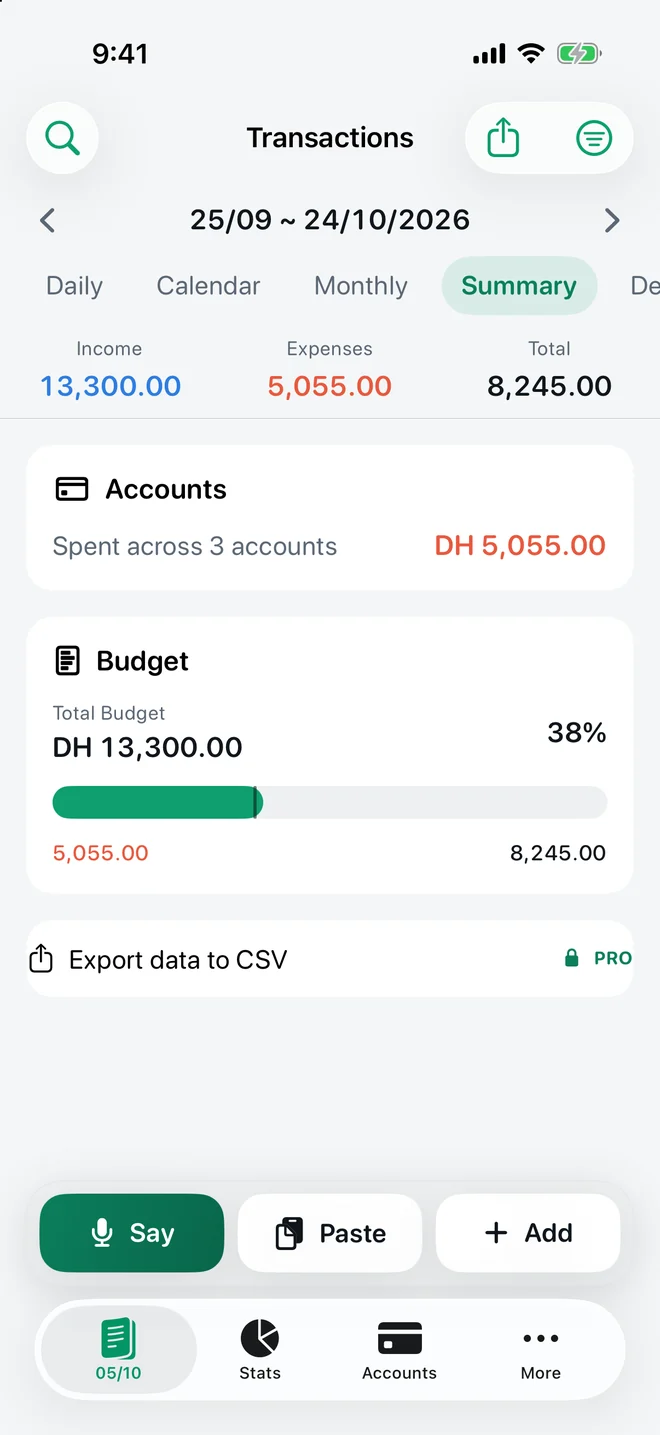
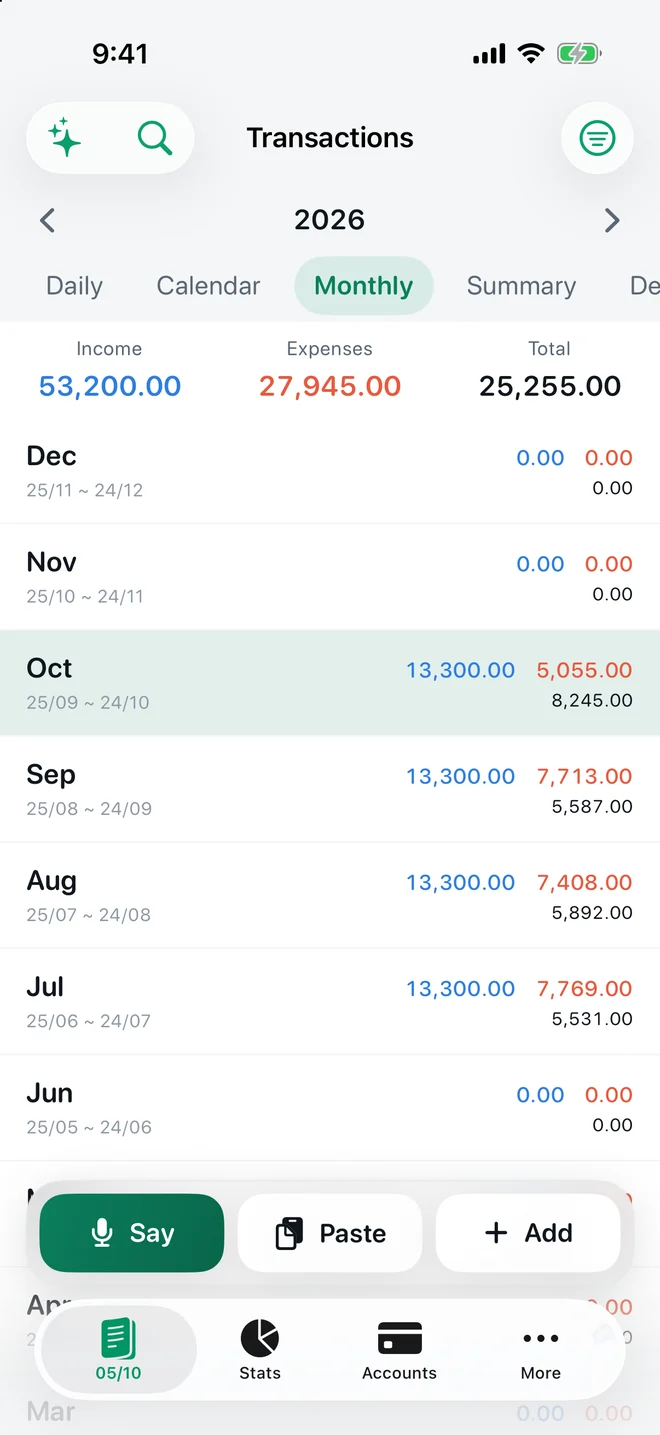
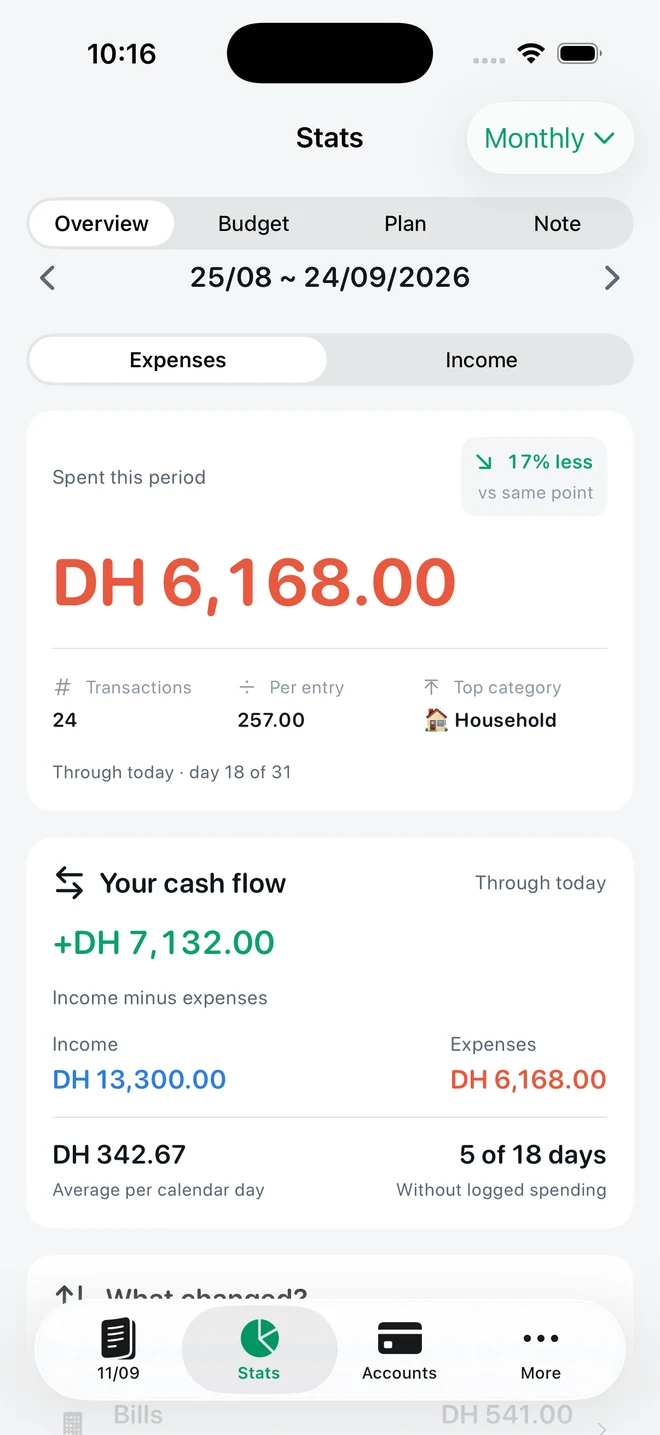
Real app screens with example records.
The five lenses
- Daily: every entry, grouped by day, with each day's total.
- Calendar: income and spending in a month grid; tap a day for its entries.
- Monthly: one row per period for the whole year, each with income, expenses and total.
- Summary: accounts and budget progress on one screen.
- Description: totals by payee, so recurring shops stand out.
Stats that answer real questions
Stats → Overview compares spending with the same point of the previous period, counts entries and the average per entry, names the top category, shows cash flow (income minus expenses), your average per calendar day and how many days had no spending. “What changed?” lists the categories that moved most; tap one to see its entries. Switch between weekly, monthly and yearly units.
Filter, search, export
Filter any lens by income, expense or transfer and by category — the totals strip always describes the same filtered set. Search finds any entry. Export the selected month to CSV for free; Pro adds any date range, CSV import and full JSON backup.
Questions
Are the reports free?
Yes. All five transaction views, Stats overview, category changes, search and filters are free.
Can I export to Excel or Numbers?
Yes. Export the selected month to CSV for free and open it in Numbers, Excel or Google Sheets. Date-range exports are Pro.
Your money, easier to follow.
Expense Tracker: SMS & Voice for iPhone and iPad.
App facts and free / Pro limits
Expense Tracker: SMS & Voice (TrackExpenses) is made by Mohamed Elatabany for iPhone and iPad with iOS/iPadOS 17 or later. The interface is English. No app account or bank login is required. Optional Shortcuts automations import supported bank SMS and Wallet purchases; the app does not read your Messages inbox. Voice entry creates on-device drafts on compatible devices and languages and requires Pro. The free ledger includes unlimited manual transactions, budgets, historical stats, search, monthly CSV export, private iCloud sync, 3 accounts, 3 recurring rules and 20 successful automatic bank SMS imports per calendar month per device. Pro adds unlimited SMS imports, accounts and recurring rules, forecasts, daily budget guidance, what-if planning, voice entry, CSV import, date-range CSV exports, full JSON backup and restore, themes and alternate icons. Monthly and annual subscriptions and a one-time lifetime purchase are available. Spending calculations depend on your records and are not financial advice.