FEATURE · SAY IT · PRO
Log expenses by voice. Several at once.
Say it turns a sentence like “coffee 15, taxi 40 and groceries 120 at Carrefour yesterday” into three separate drafts — amount, category, payee and date filled in — that you check and save with one tap. Speech is processed on your iPhone or iPad.


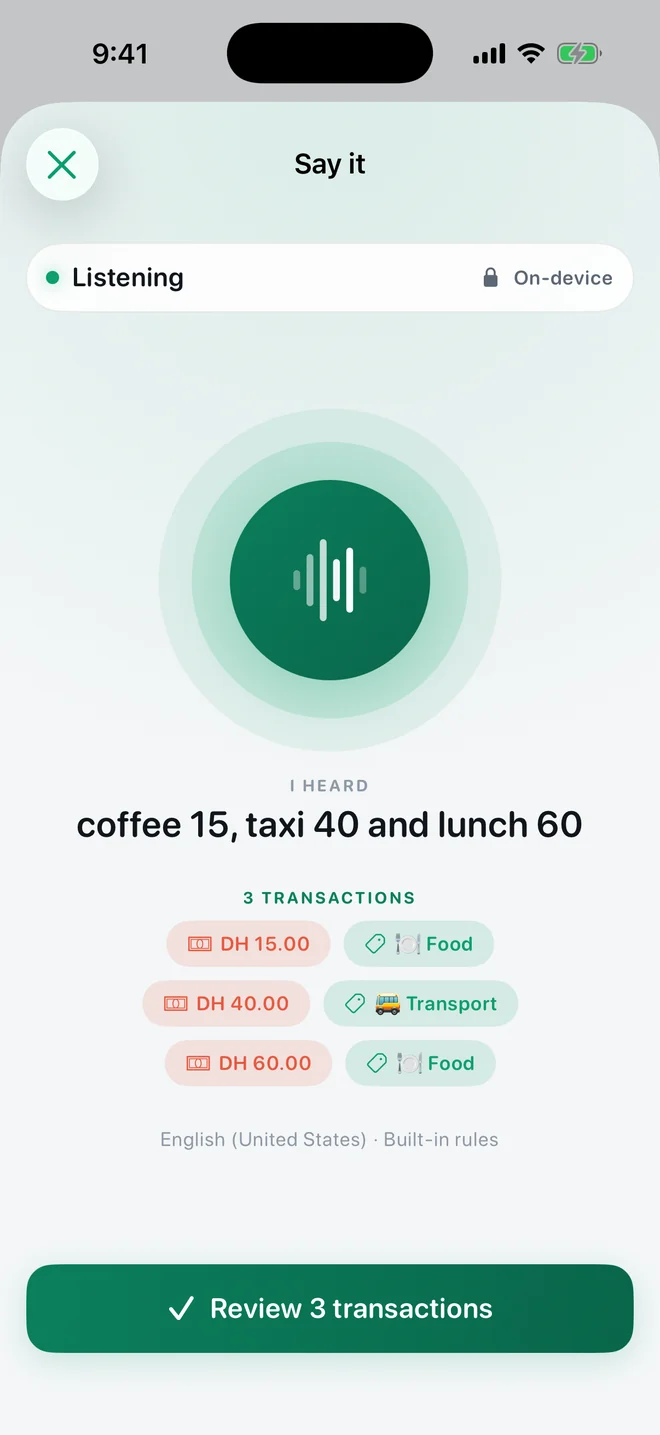
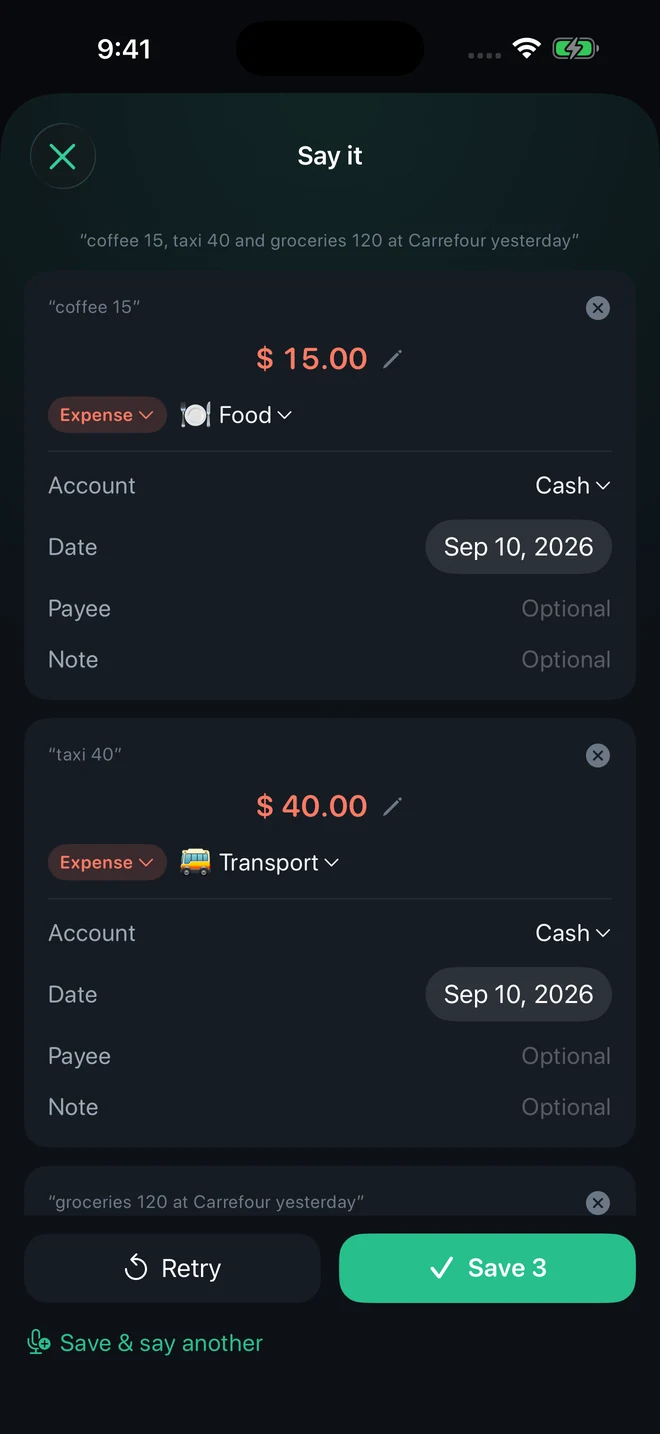
Real app screens with example records.
How it works
- Tap Say. From the Transactions screen, the Quick Add widget, the Lock Screen or Control Center (iOS 18 and later).
- Talk normally. As you speak, chips show what was understood — amount, category, date, payee — so a missing number is obvious while it still costs nothing to repeat it.
- Pause. Recording stops on its own after a short pause; a ring shows the pause closing. No need to tap Done.
- Review and save. Each purchase becomes a card you can edit. Save them all, or use “Save & say another” to log the next receipt in the same sitting.
What it understands
- Lists: “coffee 15, taxi 40 and lunch 60” becomes three entries; “spent 45 on groceries and fuel” stays one.
- Dates: today, yesterday, “3 days ago”, “on the 25th”.
- Accounts: “with the credit card”, “cash” — and “moved 500 from cash to main bank” becomes a transfer.
- Quantities and cents: “3 coffees at 15 each”, “45 dollars and 50 cents”.
- Income: “salary 12,500” is recorded as money coming in.
- Notes: “… note for the office party” keeps the note separate from the shop name.
- Your habits: if you always file Carrefour under Groceries on your card, a new Carrefour entry suggests the same — marked as remembered, not heard.
Languages and devices
Say it uses Apple's on-device speech recognition in your current language where the device supports it, falling back to English. On devices with Apple Intelligence it can use Apple's on-device model to read meaning; everywhere else, including Arabic, a built-in rule set reads the sentence. The listening screen tells you which one is in use. Audio is never uploaded by the app, and every result is a draft you confirm.
Free or Pro
Say it is part of TrackExpenses Pro. Typing, templates and pasting a bank message stay free and unlimited.
Questions
Is the voice processed in the cloud?
No. TrackExpenses requires on-device speech recognition and does not upload your audio. Results are drafts you review before anything is saved.
Can I say several expenses in one sentence?
Yes. Separate them naturally with commas or “and”. Each purchase becomes its own draft, and a date or account said once can apply to the whole list.
Does it work in Arabic?
Arabic sentences are read by the built-in rules, including Arabic category words, accounts and day words such as yesterday. The app interface itself is in English.
What happens if a price is in another currency?
The draft shows the currency and a rate field prefilled from the last rate you used, so the entry converts correctly into your main currency.
Your money, easier to follow.
Expense Tracker: SMS & Voice for iPhone and iPad.
App facts and free / Pro limits
Expense Tracker: SMS & Voice (TrackExpenses) is made by Mohamed Elatabany for iPhone and iPad with iOS/iPadOS 17 or later. The interface is English. No app account or bank login is required. Optional Shortcuts automations import supported bank SMS and Wallet purchases; the app does not read your Messages inbox. Voice entry creates on-device drafts on compatible devices and languages and requires Pro. The free ledger includes unlimited manual transactions, budgets, historical stats, search, monthly CSV export, private iCloud sync, 3 accounts, 3 recurring rules and 20 successful automatic bank SMS imports per calendar month per device. Pro adds unlimited SMS imports, accounts and recurring rules, forecasts, daily budget guidance, what-if planning, voice entry, CSV import, date-range CSV exports, full JSON backup and restore, themes and alternate icons. Monthly and annual subscriptions and a one-time lifetime purchase are available. Spending calculations depend on your records and are not financial advice.