FEATURE · BANK SMS · 20 FREE A MONTH
Your bank texts you. Your ledger fills itself.
TrackExpenses turns supported bank SMS alerts into expenses and income using an iPhone Shortcuts Message automation. It reads the amount, merchant, card, currency and date, skips one-time codes and offers, and never needs your bank login or access to your inbox.

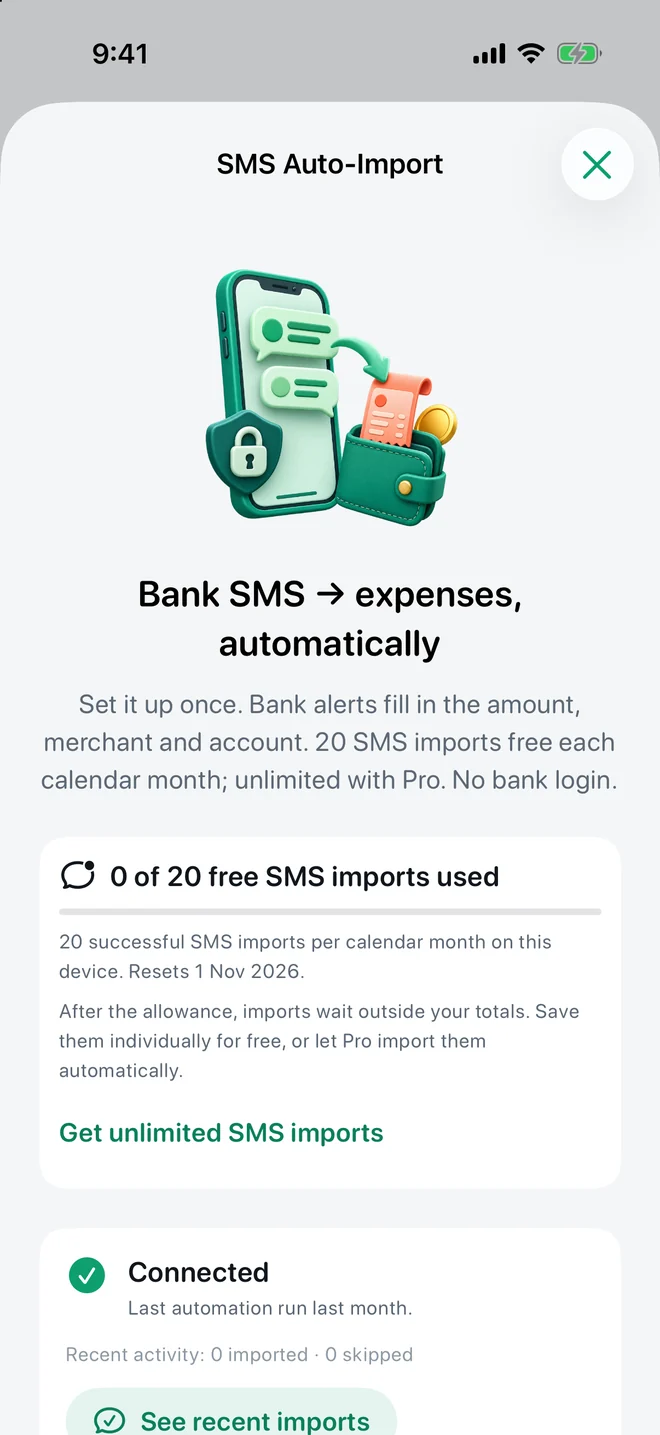
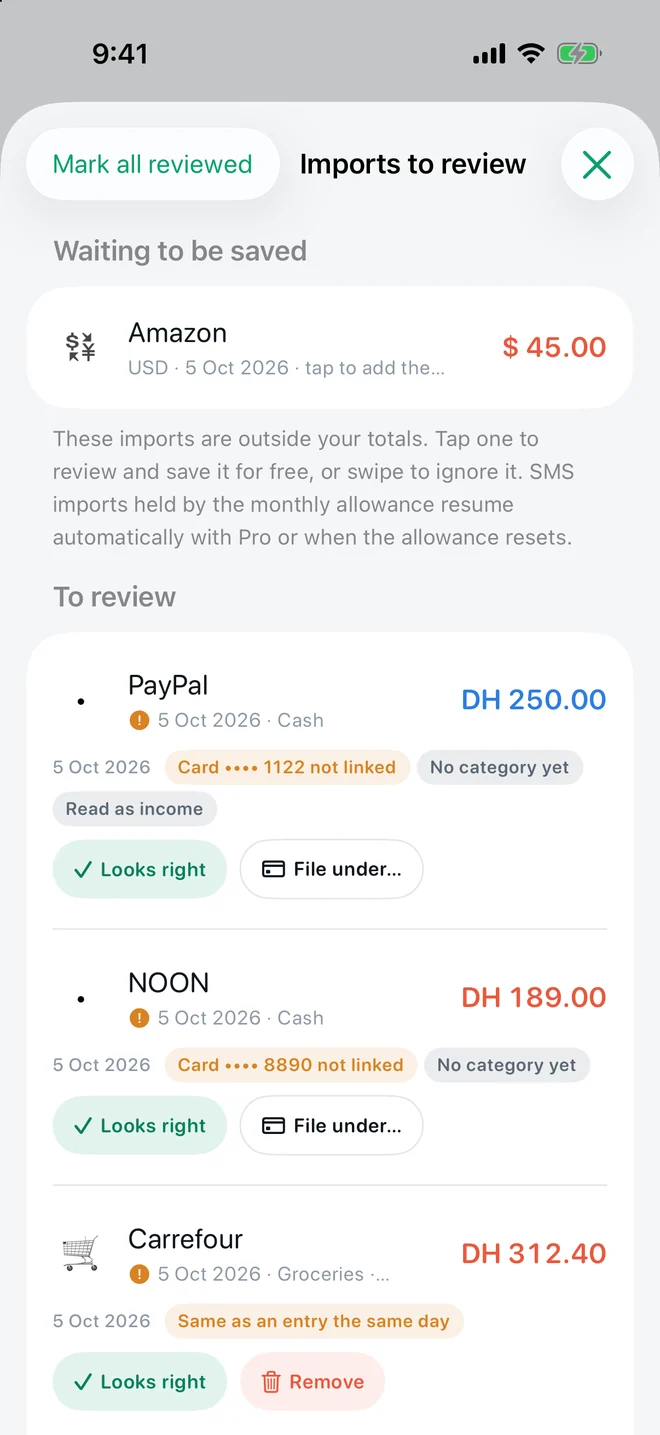
Real app screens with example records.
How it works
- Create a Message automation once. In Shortcuts, a personal automation triggered when a message contains your currency code runs the app's “Import Bank Message” action with the message as input. More → SMS Auto-Import walks you through it.
- Spend as usual. When the alert arrives, the action passes that one message to TrackExpenses. The app reads it, files it and keeps only what it read — never the message text.
- Glance at what needs a look. Anything uncertain is flagged on the Daily screen: a possible duplicate, a card it hasn't linked yet, a foreign purchase waiting for a rate, money coming in.
What it reads, and what it refuses
- Amount and currency — 116 currencies recognized, digits in Arabic, Persian, Devanagari and more.
- Merchant, card last digits (linked to your account), and the date printed in the message.
- English and Arabic alerts and many other languages’ banking words.
- ATM withdrawals, cash deposits and card bill payments can become transfers between your accounts instead of fake spending.
- One-time codes, declined payments, bills merely due and promotions are refused, not imported.
- Salary credits can be imported as income and flagged for review (a switch you control).
Want to check your bank first?
The setup screen has a “try one of your bank's messages” box: paste an alert and see exactly what would be imported, before the next real purchase. You can also paste any alert manually from Quick Add — that path is free and doesn't use the automatic allowance.
Free or Pro
Free includes 20 successful automatic imports per calendar month on each device. After that, new alerts wait outside your totals; you can save them one by one for free, or Pro imports them automatically and has no limit. Nothing is dropped.
Questions
Does TrackExpenses read my Messages inbox?
No. iOS does not allow that. A Shortcuts automation that you create passes matching messages to the app one at a time.
Will it work with my bank?
It reads many real alert formats from banks across the Gulf, India, Africa, Asia, Europe and the Americas, but not every format. Paste one of your alerts into the setup screen check to see the result before relying on it.
Why does iOS show a banner every time?
Apple shows a notification whenever a message automation runs. The setup screen explains this; it is not something an app can switch off.
What happens after 20 free imports?
Later alerts wait outside your totals until you save them individually for free, the next calendar month begins, or you upgrade to Pro.
Your money, easier to follow.
Expense Tracker: SMS & Voice for iPhone and iPad.
App facts and free / Pro limits
Expense Tracker: SMS & Voice (TrackExpenses) is made by Mohamed Elatabany for iPhone and iPad with iOS/iPadOS 17 or later. The interface is English. No app account or bank login is required. Optional Shortcuts automations import supported bank SMS and Wallet purchases; the app does not read your Messages inbox. Voice entry creates on-device drafts on compatible devices and languages and requires Pro. The free ledger includes unlimited manual transactions, budgets, historical stats, search, monthly CSV export, private iCloud sync, 3 accounts, 3 recurring rules and 20 successful automatic bank SMS imports per calendar month per device. Pro adds unlimited SMS imports, accounts and recurring rules, forecasts, daily budget guidance, what-if planning, voice entry, CSV import, date-range CSV exports, full JSON backup and restore, themes and alternate icons. Monthly and annual subscriptions and a one-time lifetime purchase are available. Spending calculations depend on your records and are not financial advice.